
EP 01Airing since Sep 27Trending now
One of you has turned. The other raises the rifle and can’t pull the trigger — then the memory hits. Two photos in, the 10-second film everyone is posting out.
- Free preview
- Video from $4.99
- 10 s · 9:16
- Music included
One face per photo, looking at the camera. Only people who agreed to be in it.
Add both photos to start
Shot 01 / 03
The standoff

 · unedited
By Memebop Studio · Made with Nano Banana 2.1 + MiniMax H3
The shot list
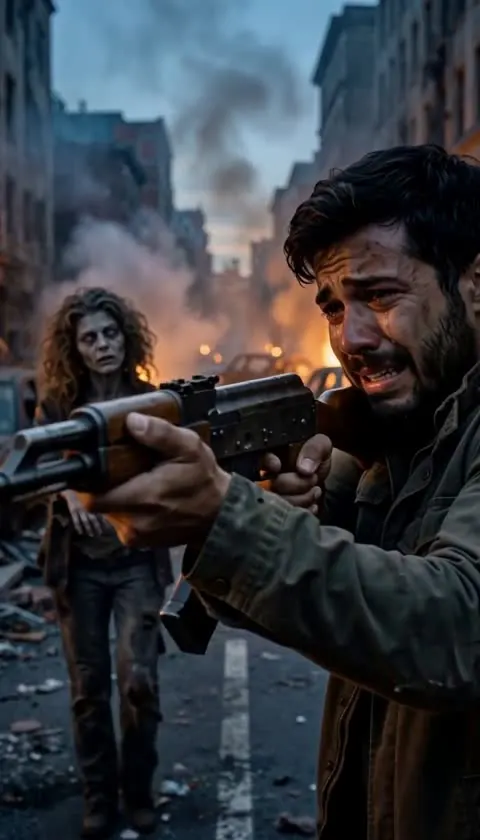 Scene 01
The standoff
A ruined street at dusk. You raise the rifle as they walk toward you — and your hands won’t stop shaking.
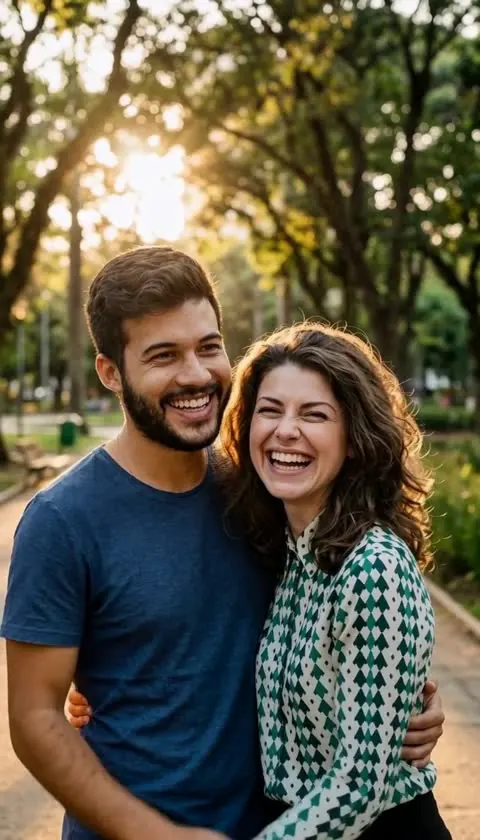 Scene 02
The memory
A hard cut to golden light: the two of you laughing, with the faces from your photos.
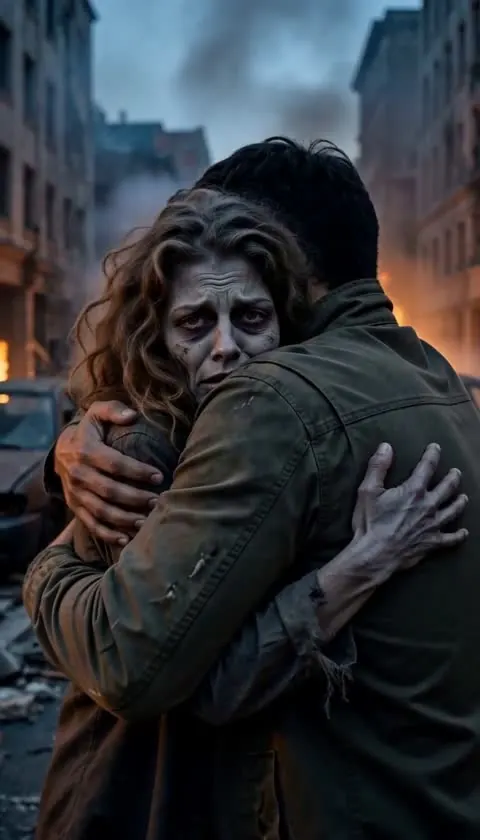 Scene 03
The hug
Back in the ruins, the rifle drops. You pull them in anyway. Slow push in, music swells.
About the trend
What is the AI zombie trend?
The AI zombie trend — also called the zombie love story or the AI zombie hug — is a short vertical video made from two photos. In a ruined city after an outbreak, one person has become a zombie. The other aims a rifle, shaking, and cannot shoot. A warm flashback shows the two of them laughing together, and the clip ends on a hug.
Most tutorials stitch it together across two or three apps: an image model for the scene, another for the flashback, and a video model to animate it. This page does all of it in one go. You upload two photos, and it builds the zombie scene and the flashback from your real faces, then films the three shots as one 10-second clip with an emotional score.
It works with a partner, a parent, a best friend or a sibling. Clear, front-facing photos with one person in each give the most recognizable result, especially in the flashback, where both faces are shown up close.
Questions
Before you film
How do I make the AI zombie love story video?
Upload a photo of yourself and a photo of the person who turns into a zombie. In about a minute you get a free preview of the two scenes. If the faces look right, press film: about 5 minutes later you have a 10-second vertical video — the standoff in a ruined street, a flashback of the two of you, and the hug.
How much does it cost?
Each zombie video uses 20 credits. Packs are paid once with no subscription: $4.99 for 2 videos (first purchase only), $9.90 for 6 videos or $24.90 for 17 videos. If a video fails, the credits go back automatically.
Is it free?
The preview is free: upload two photos and see your zombie scene and your memory scene, with your faces, before paying anything (3 previews a day). Filming the 10-second video uses purchased credits, because it renders on a paid video model. The example on this page is a real, unedited result.
What photos work best?
One person per photo, face clearly visible and facing the camera, in decent light. Group shots, sunglasses or heavy filters make the faces in the flashback less like the real people.
Does the video have sound?
Yes, it comes with an emotional music score. When you post on TikTok or Reels you can also swap in the trending sound for this trend.
Is it gory?
No. The zombie has grey skin and cloudy eyes, but there is no blood or gore, so it is fine to post on any platform.
Can I use photos of other people?
Only of people who agreed to be in the video. No nudity, no minors, and no photos of public figures or strangers.
Who can I make it with?
Anyone you would never shoot: a partner, a parent, a sibling, a best friend. Put yourself in the first photo and them in the second — they become the zombie. Pets are not supported yet; this version is made for human faces.
What song is used in the AI zombie trend?
There is no single official song. The first viral clips used the original sound of the video they came from, and later remakes pick their own. Your video comes with its own music; to use the trend sound instead, open the original sound on TikTok, tap “Use this sound” and add your clip.
Can I make the AI zombie video without an app?
Yes — this page runs in the browser, no app or account on another service. Doing it by hand takes three tools: an image model to put both faces in a ruined street, a second image for the warm flashback, and a video model that films the three shots from those references. This page does all three steps for you.
More episodes